


Solitaire for Seniors
4.728.00 Reviews
App Specs
- Version
- 1.6
- Updated On
- License
- Free
- Downloads
- 10,000+
- Developer
- Solebon LLC
- Categories
- Card
- Platform
- Android
Screenshots

 Analysis by AppCompare
When I want a quiet card game that doesn’t demand a long session or quick reactions, solitaire is an easy choice. Solitaire for Seniors is aimed at that kind of relaxed play, with an emphasis on clear presentation and gentle guidance rather than competition. I’d consider it for a short break, a familiar routine, or a first step into digital card games, though it won’t suit everyone looking for more variety or challenge.
A familiar game, with a gentler pace
This is a free card game from Solebon LLC, released on February 17, 2025. It is rated for Everyone, and the current version is 1.6. Its average rating is 4.7 from around a hundred ratings, with more than ten thousand installs. Those figures suggest that people are finding it, but the more useful question is whether its style fits the way you like to play.
The appeal here is straightforward: a recognizable solitaire experience presented in a way that aims to feel approachable. The store summary describes classic rules and no pressure, and that fits the intended mood. I wouldn’t choose it expecting a collection of competitive modes or a constantly changing set of challenges. I’d choose it when I want to settle into a card game without learning a complicated interface first.
Speed expectations: short sessions work best
Solitaire is naturally easy to dip into, and the no-timer approach means I can take a moment to consider a move rather than race a clock. That changes the feel of a session: I can play a hand while waiting for an appointment, take a few turns during a quiet break, or put the phone down when something else needs my attention. The game’s unhurried design is a better fit for these pauses than for players who want a fast, score-chasing arcade rhythm.
One practical habit is to decide before opening the game whether I’m playing for a few minutes or settling in for longer. With no timer pushing me onward, it’s easy to keep going through another hand. That’s pleasant when I have time, but less helpful if I’m trying to fill only a very short gap. I’d treat it as a calm pastime rather than a tool for precise time-filling.
Heavy-use moments and everyday routines
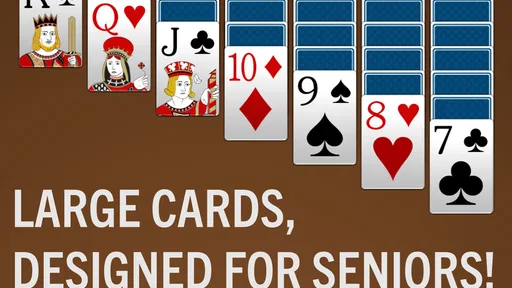
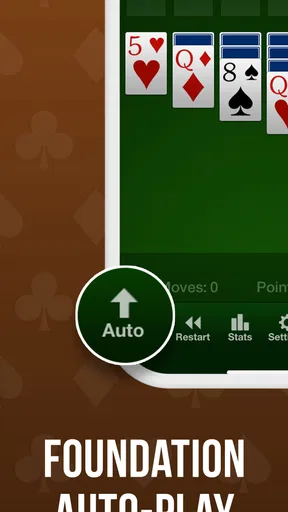
A realistic use case is an afternoon at home: I finish a small task, open a hand, and play at a comfortable pace while taking a break. The larger cards and visual contrast described for the game are especially relevant in that setting, where I may be holding the phone farther away or playing under changing light. The point is not to turn every spare moment into screen time; it’s that the game can make a quiet pause feel more engaging without demanding much setup.
For someone who already enjoys physical solitaire, a phone version has a different trade-off. It avoids shuffling and arranging a deck, and the hints can be useful when a move is unclear. In return, the tactile feel of real cards is gone, and the screen can make a long session less comfortable than a tabletop game. I’d use the app for convenience, but keep a physical deck in mind if the pleasure is mostly in handling the cards.
Worth Reading Before You Choose

Switching to Android Auto Means Rethinking Your Driving Routine

Google Calendar Makes a Crowded Week Easier to Manage

Baby Panda World Brings Quick Play to Modern Phones, but Its Game Library Feels Busy

ESPN’s Live Game View Makes Following Close Games Easier

QuizzLand Review: A Good Fit for Short Trivia Breaks, Not Every Player

Basketball Stars: Multiplayer Is Fast, but Can It Recover When Matches Go Wrong?
Reliability, pausing, and picking up again
The game is described as pausable, which matters more to me than a flashy feature when I’m playing casually. If a call comes in or I need to step away, being able to leave a hand and return later makes the experience fit ordinary interruptions. I would still make a habit of checking that I’m back in the same game before continuing, especially if I have switched between apps or restarted my device; that is a sensible routine for any mobile game rather than a reason to assume a particular recovery behavior.
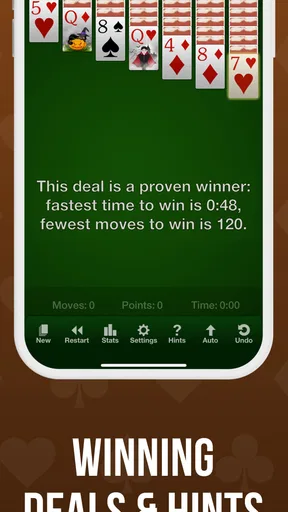
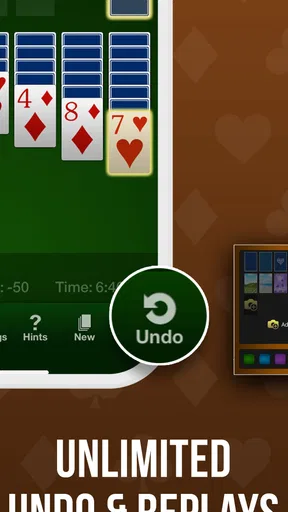
Hints and tips can also help keep a session moving when I’m uncertain. I’d use them selectively: first scan the cards myself, then ask for guidance if I’m genuinely stuck. That keeps the game from becoming a sequence of prompted moves and makes the hint more useful as a nudge than as an automatic answer. Players who prefer solving every position unaided can simply treat the guidance as optional support.
Device constraints and comfort
The minimum operating system is Android 6.0, so compatibility is worth checking before installing on an older phone or tablet. For comfortable play, screen size matters as much as software compatibility. Larger cards may be easier to see, but a smaller display still gives the cards less room; if I were choosing a device for someone with low vision or less precise touch control, I’d try a tablet or a phone with a larger screen before making the game part of a daily routine.
Brightness and glare can change how easy cards are to distinguish, so I’d adjust the screen itself before deciding the display is too small. A stable, comfortable grip also helps when moving cards around. These are simple adjustments, but they can make a casual game less tiring. The game is designed with accessibility in mind, yet no single interface removes every physical or visual limitation.
Who will enjoy it, and who may prefer another game
I’d recommend it to people who already like classic solitaire, want a relaxed pace, or appreciate larger cards and a little guidance. It may also suit someone who is new to mobile games and would rather start with familiar rules than learn a complex card system. The Everyone age rating makes the game broadly approachable, though the best fit still depends on whether the player enjoys solitaire itself.
I’d look elsewhere if I wanted multiplayer competition, a stream of varied card games, elaborate progression, or a demanding challenge. Many general solitaire alternatives focus on daily goals, timed rounds, or a broader selection of modes; those can be more engaging for players who want a reason to return beyond the basic card puzzle. This game’s quieter focus is a strength only if that simplicity is what you want. If solitaire feels repetitive to you after a few hands, extra hints or a different background probably won’t change that.
Another useful distinction is between “easy to approach” and “effortless for every player.” Hints and a clear presentation can soften the learning curve, but solitaire still involves planning and sometimes an unlucky deal. If a player becomes frustrated when a hand cannot be completed, the calm presentation may not be enough. I’d suggest treating each hand as a small puzzle, not as a test of skill or a promise of a win.
What the design offers in practice
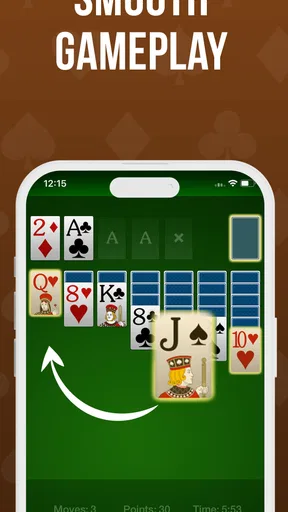
Now, you might be wondering, “What’s so special about this version of solitaire?” I get it. But trust me, Solitaire for Seniors isn't just another solitaire app. It’s designed with accessibility in mind, making it super user-friendly. The interface is clean and intuitive, which is a big win in my book. You don't need to squint or fumble around trying to figure out what’s what.
Easy on the Eyes
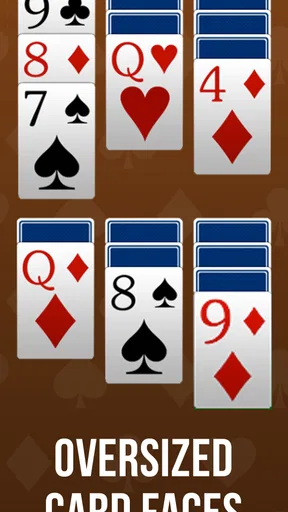
One of the first things I noticed was the larger card sizes. They're perfect for those who might have vision difficulties, or just prefer a more relaxed viewing experience. The contrast between the background and the cards is spot on, making it easy to distinguish between the different suits and numbers.
Customization Options
Speaking of personalization, the app offers a variety of themes and backgrounds. Whether you’re feeling a classic green felt or something a bit more vibrant, you’ve got options. Plus, you can customize the card backs – a small detail, but it adds a personal touch to the game.
A practical tip is to choose a background that makes the card edges and suit symbols easy for you to pick out, rather than choosing a theme only because it looks attractive. A familiar, low-distraction backdrop can make it easier to scan the layout from one corner to another. If you play in different rooms or lighting, it may be worth trying a second theme and keeping the one that stays clearest in both places.
Helpful Hints and Tips
For those who might be new to solitaire, or just need a little refresher, the app includes helpful hints and tips. It’s like having a little coach in your pocket, guiding you through those tricky moves without being too intrusive.
There’s a small trade-off with any hint system: taking help too often can reduce the satisfaction of spotting a useful move yourself. I’d pause before using a hint and check whether a card can be uncovered or a sequence rearranged first. That simple routine makes the assistance more valuable when a position really is difficult, while keeping the game approachable for newcomers.
Stress-Free Gaming
Another standout feature is the lack of pressure. There are no timers rushing you through the game, which means you can play at your own pace. It’s the perfect way to unwind after a long day. You can even pause and come back to your game later!
That flexibility is most useful when a session is interrupted, not as a substitute for deciding when to stop. I like that the pace leaves room for thought, but I would not describe a card game as automatically relaxing for everyone: a difficult layout can still be frustrating if I’m tired. When that happens, stepping away is better than pushing through simply because the phone is in hand.
Keeping Your Brain Active
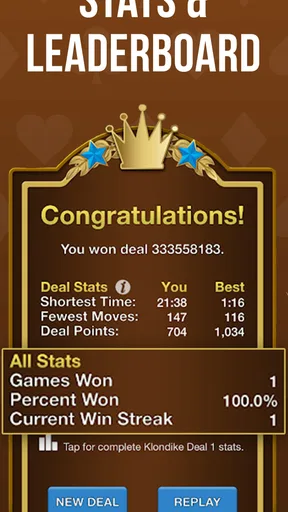
We all know the importance of keeping our minds sharp, and solitaire is a great way to do just that. The app keeps track of your stats and progress, so if you’re feeling competitive, you can strive to beat your previous scores. It’s a subtle way to challenge yourself without feeling overwhelmed.
I’d use those records as a personal reference rather than a measure of whether a session was worthwhile. A good hand can feel satisfying even if it doesn’t improve a previous result, and a familiar routine may be the main reason to play. If tracking progress motivates you, it offers a modest goal; if it makes a quiet pastime feel like work, there’s no need to focus on it.
Accessibility Features
Accessibility is at the forefront of this app's design. From the adjustable text size to voice guidance, it caters to various needs. This makes it a fantastic choice for seniors or anyone who appreciates a little extra assistance.
For a first session, I’d take a minute to settle the visual and guidance settings before starting a longer game. That avoids having to interrupt a hand to make the display more comfortable. It’s also a good way to see whether the app’s approach actually suits a particular player: accessibility features can be helpful, but personal comfort is best judged on the device and at the viewing distance that person normally uses.
Even if you’re a tech novice, you’ll find Solitaire for Seniors incredibly easy to navigate. The app gently eases you into the world of digital gaming, ensuring that everyone can enjoy a classic game of solitaire without frustration.
Performance verdict
My overall impression is that this is a deliberately simple game, and that simplicity is its main performance advantage: there is no need to learn a busy set of systems before playing a hand. I can’t judge speed or battery use from the concept alone, so I wouldn’t promise that it will feel identical on every device. What I can say is that the intended pace is unhurried, with no timer and the option to pause, making it a sensible pick for short, interrupted sessions rather than a high-intensity gaming stretch.
If you’re weighing the free price against other solitaire apps, I’d focus less on the cost and more on what you want from the experience. This one is positioned around familiar play and accessibility; another option may be better if you want several card games in one place or more competitive structure. Its Everyone rating and Android 6.0 minimum make it accessible to a broad range of Android users, while the current version is 1.6. I’d check that your device meets the system requirement, then try a brief session and see whether the card size, guidance, and pace feel right to you.
Final Thoughts
All in all, Solitaire for Seniors is a delightful app that combines simplicity with thoughtful design features. Whether you’re looking to kill some time, challenge your brain, or just relax, this app has got you covered. It’s more than just a game; it’s a pocket-sized companion that brings a little bit of joy to your day. So, if you haven’t already, give it a download and see for yourself. Happy gaming!
Pros
- Large cards for easy viewing.
- Simple and intuitive interface.
- No ads in the premium version.
- Variety of solitaire games included.
- Adjustable difficulty settings.
Cons
- Limited features in free version.
- Occasional lag on older devices.
- No multiplayer option available.
- Customization options are minimal.
- Requires internet for updates.
FAQs for Solitaire for Seniors
What makes Solitaire for Seniors different from other solitaire games?
Solitaire for Seniors is designed with larger cards and intuitive controls to cater to older adults. It features easy-to-read fonts and simplified navigation, making it accessible for those who might not be as tech-savvy. Additionally, it includes soothing background music and customizable settings to enhance the playing experience.
Is Solitaire for Seniors free to download and play?
Solitaire for Seniors is available as a free download on both Android and iOS platforms. While the basic version is free, it may offer in-app purchases to unlock premium features, remove ads, or access additional card designs and backgrounds. These purchases are optional and not required to enjoy the game.
Does Solitaire for Seniors require an internet connection?
No, Solitaire for Seniors does not require an active internet connection to play. It can be enjoyed offline, making it perfect for playing on the go or in areas with limited connectivity. However, an internet connection might be needed for in-app purchases or downloading updates.
What accessibility features does Solitaire for Seniors offer?
The app includes several accessibility features tailored for seniors. These include large, easy-to-read card designs, adjustable text sizes, and high-contrast modes. The app also offers voice guidance and customizable controls to ensure a comfortable gaming experience for those with visual or motor impairments.
Can I customize the appearance of the game in Solitaire for Seniors?
Yes, Solitaire for Seniors allows players to customize the game's appearance to suit personal preferences. Users can choose from various card designs, table backgrounds, and color schemes. This personalization ensures that each player can create a visually pleasing and comfortable game environment.


